
Create an ordering list for our consumables
Closed
anewskillofhelp
Posts
10
Registration date
Tuesday 28 May 2019
Status
Member
Last seen
11 August 2019
-
28 May 2019 à 08:16
Blocked Profile - 12 Aug 2019 à 16:09
Blocked Profile - 12 Aug 2019 à 16:09
Related:
- Consumables list
- Counter strike 1.6 cheats list - Guide
- Epic games free games list - Guide
- Amd crossfire gpu list - Guide
- Is snapchat blocked list in order - Instagram Forum
- "You can make a private videos list and share them only with your favorite friends!" - Guide
4 responses
Its ok, lets see if your version has it. Go to preferences, select Ribbon amd Toolbar.
Under Customize the ribbon, select main tabs, and select Developer. Click save.
That should be it. Close excel amd reopen it. Developer should be there.
Under Customize the ribbon, select main tabs, and select Developer. Click save.
That should be it. Close excel amd reopen it. Developer should be there.
anewskillofhelp
Posts
10
Registration date
Tuesday 28 May 2019
Status
Member
Last seen
11 August 2019
11 Jun 2019 à 07:46
11 Jun 2019 à 07:46
This is what my developer tab looks like:

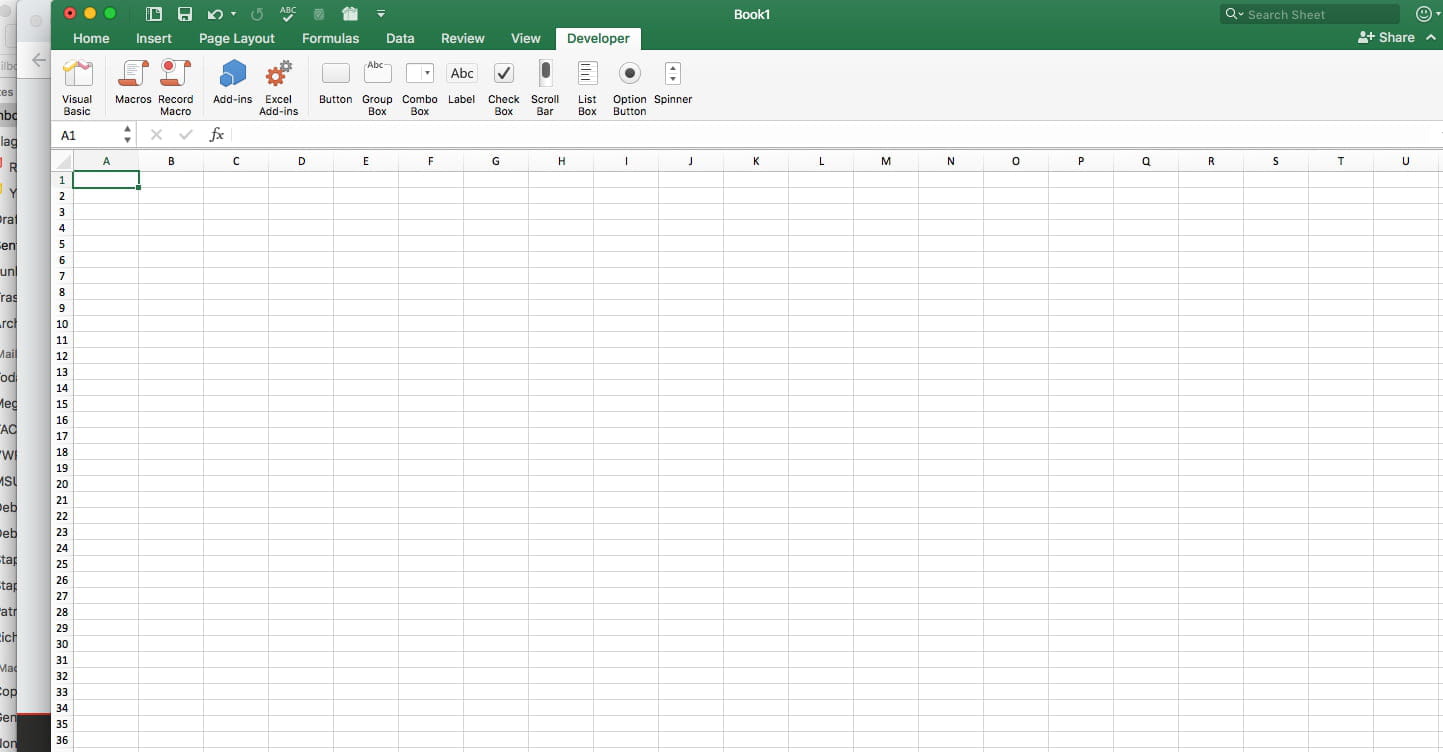
Great job!
Now in the left hand side, click on visual basic. The next window is the projexlct explorer. In the left hand colum, right click over MICROSOFT EXCEL OBJECTS, and select insert, MODULE.
post back.
Now in the left hand side, click on visual basic. The next window is the projexlct explorer. In the left hand colum, right click over MICROSOFT EXCEL OBJECTS, and select insert, MODULE.
post back.
anewskillofhelp
Posts
10
Registration date
Tuesday 28 May 2019
Status
Member
Last seen
11 August 2019
12 Jun 2019 à 17:14
12 Jun 2019 à 17:14
This is what I have:

anewskillofhelp
Posts
10
Registration date
Tuesday 28 May 2019
Status
Member
Last seen
11 August 2019
12 Jun 2019 à 17:24
12 Jun 2019 à 17:24
I think I'm lost...I'm not seeing insert new form
anewskillofhelp
Posts
10
Registration date
Tuesday 28 May 2019
Status
Member
Last seen
11 August 2019
15 Jul 2019 à 19:52
15 Jul 2019 à 19:52
Hello ac3mark, sorry I've been away for awhile. Hope that you are still active. I still cannot find the new form. Maybe I am not right clicking in the correct spot?

28 May 2019 à 10:40
28 May 2019 à 12:35
Lets start by inserting a form, name it frmENTRY. place two text boxs on the form, named txtAMOUNT, and another named txtDESC. Place a button on the form, named btnSUBMIT.
START with that
29 May 2019 à 15:35
29 May 2019 à 15:47
30 May 2019 à 08:12
We are going to build a form. We will not be using a worksheet for order entry, but will be building a "pop up" window to enter it in, just as you requested. If you need help getting the developer tab unlocked, post back.