Enable the on-screen keyboard: Ubuntu, Mac, Windows, Android


If you keyboard is broken, and you'd like to use the on-screen keyboard, read our guide and find out how to enable the on-screen keyboard on Mac, Ubuntu, Windows, or Android.
How to use the on-screen keyboard on Ubuntu?
- Click the Settings menu > System Settings.
- Next, go to System > Universal Access.
- Select the Typing tab, and then switch the On-Screen Keyboard option to ON.
How to use the on-screen keyboard on Android?
-
In a text field (email or a message): simply tap on the text box to make the keyboard display appear.
-
You can also press and hold the menu button for several seconds to display the keypad. With this feature, you should see the keyboard appear on your Android phone. However, if you're in an application that doesn't require the keyboard to be used, it's likely that the keyboard won't appear.
How to use the on-screen keyboard on Windows?
1) Click on Start , then select Settings > Ease of Access > Keyboard.
2) Turn on the toggle under Use the On-Screen Keyboard. A keyboard that can be used to move around the screen and enter text will appear on the screen. The keyboard will remain on the screen until you close it.
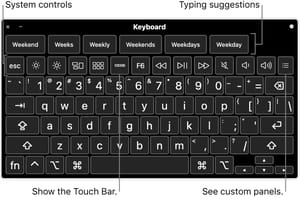
How to use the on-screen keyboard on Mac?
1) Go to Apple menu > System Preferences.
2) Then, select Accessibility > Keyboard > Accessibility Keyboard.
3) Choose Enable Accessibility Keyboard.